
nyuu.page
 Tip
Tip
Just want the code for some reason? Get it here.
I built this website from scratch. I thought:
I will be satisfied as soon as it looks sort of ok. It merely has to list my writing & my code.
This was hubris. I got way too into agonizing over every little detail. It is now good; please look around. The first half of this page is a tour of reader-facing website features. The second half is an overview of notable internal details.
 Note
Note
It has a bunch of cute little widgets, such as this note box thing.
The site “is” three things:
assets: posts, images, style info, & templates describing how these things fit together
a computer program that turns the above stuff into the files that go on the server
the aforementioned files
Each post is a markdown file. In it, “widget/feature ‘x’ should go here” is represented by a shorthand. That shorthand is sandwiched between ::: triple colons :::.
So there is a mapping between the shorthand, & the html the shorthand corresponds to, & to what you actually see on the page.
I think my shorthand kicks ass and I’m quite proud of how terse and flexible it is.
Note
This ::: triple colons ::: translational layer is not required. You can just stick bigass HTML constructs in the markdown directly. But that’s tedious to write, easy to write incorrectly, tedious to look at while writing & editing, and brittle: change how a feature works? Gotta go back and update every extant instance of the feature!
Features
Flashy Stuff
Chat Bubbles


The shorthand for the above example:
::: chat
@Alice[avatar-cool-user]: Hey, have you seen the new site redesign?

@Claude[avatar-chatbot]: Yeah! The widget system is really clean now.

@Alice[avatar-cool-user]: The markdown syntax is so much simpler.
:::
Forum Posts
 Site Admin
Posts: 9001
Site Admin
Posts: 9001
This is what a forum post looks like. It has a sidebar with author information and a main content area.
The styling is inspired by old.reddit.com’s clean layout.
 Bot
Posts: 999999
Bot
Posts: 999999
This is a reply. It’s indented to show conversation threading.
The shorthand:
::: {.forum-post name="RedditUser" avatar="snoo-4" title="Site Admin" posts="9001"}
This is what a forum post looks like. It has a sidebar with author information and a main content area.

The styling is inspired by old.reddit.com's clean layout.
:::

::: {.forum-reply name="AutoModerator" avatar="robot" title="Bot" posts="999999"}
This is a reply. It's indented to show conversation threading.
:::
Admonitions
 Warning
This is a warning admonition. Use it for important cautionary information.
Shorthand:
::: warning
This is a **warning** admonition. Use it for important cautionary information.
:::
The type determines the icon and color scheme. Types are defined in config/admonitions.toml.
Custom Title
You can also set a custom title for any admonition type.
Shorthand:
:::: {.note title="Custom Title"}
You can also set a custom title for any admonition type.
::::
Language Stuff
Japanese Text Support
This site automatically detects Japanese text and marks it for screen readers. For example, this sentence contains 日本語 which gets wrapped in a lang="ja" attribute.
Mixed text works naturally: English and 日本語 can appear in the same paragraph without any special markup.
English and 日本語 can appear in the same paragraph without any special markup.The generated HTML:
<span lang="ja">日本語</span>Ruby/Furigana
Use {kanji|reading} syntax for furigana: 漢字 renders as ruby text.
The shorthand:
{漢|かん}{字|じ} renders as ruby text.The generated HTML:
<span lang="ja"><ruby>漢<rt>かん</rt></ruby><ruby>字<rt>じ</rt></ruby></span>Game Text
For in-game text that needs preserved spacing and special styling, use the .game class:
トレーリングスペーステスト
The shorthand:
[トレーリングスペーステスト ]{.game}Card Stuff
Card Previews
When viewed on a device where “mousing over something” makes sense, trading card names have mouse-over previews.
Example: Charizard![Charizard - 120 HP - Fire - Energy Burn: As often as you like during your turn (before your attack), you may turn all Energy attached to Charizard into Fire Energy for the rest of the turn. This power can't be used if Charizard is Asleep, Confused, or Paralyzed. - Fire Spin [FireFireFireFire] 100: Discard 2 Energy cards attached to Charizard in order to use this attack. - Weakness: Water ×2](../../images/cards/pokemon/base1-4.webp) and Mewtwo
and Mewtwo![Mewtwo - 60 HP - Psychic - Psychic [PsychicColorless] 10+: Does 10 damage plus 10 more damage for each Energy card attached to the Defending Pokémon. - Barrier [PsychicPsychic]: Discard 1 Psychic Energy card attached to Mewtwo in order to prevent all effects of attacks, including damage, done to Mewtwo during your opponent's next turn. - Weakness: Psychic ×2](../../images/cards/pokemon/base1-10.webp)
Shorthand:
[Charizard]{.card} and [Mewtwo]{.card}Later sections explain disambiguation options.
Card Preview Explainer Widget
There’s an “explain the card preview feature” widget. This is only visible on devices where “mousing over something” makes sense, so, if you are reading this on a phone, y’ain’t gonna see anything in this section.
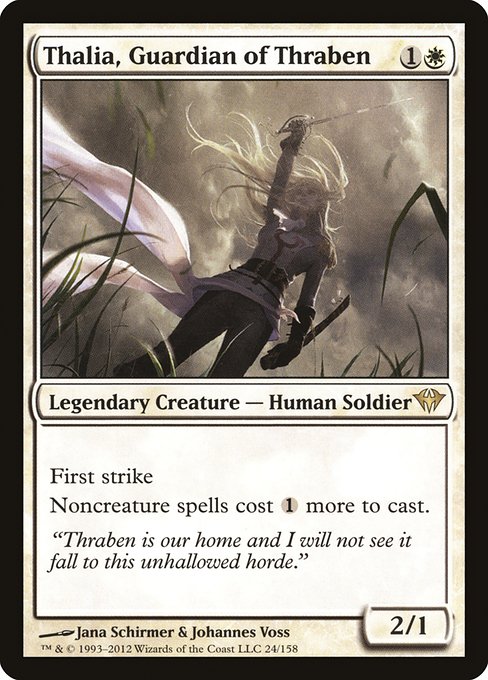
☞ This post contains  on-hover card images, indicated by the hanafuda symbol
  , like so: Thalia, Guardian of Thraben
 ☜
☜
Alt text contains card data for screen readers.
Shorthand:
::: cards
:::
Card Accessibility
The generated HTML includes the card’s text, in the alt text.
<img class="card-image"
     src="../../images/cards/mtg/thalia-guardian-of-thraben.jpg"
     alt="Thalia, Guardian of Thraben {1}{W} - Legendary Creature
          — Human Soldier - First strike Noncreature spells cost
          {1} more to cast. - 2/1"
     loading="eager"
     decoding="async">
Disambiguation
You can specify the set the card is from. You can also specify what game the card is from. Otherwise, it picks the first franchise it can in this order: Magic: The Gathering > Pokémon > Yu-Gi-Oh.
Mewtwo and Mewtwo![Mewtwo - 70 HP - Psychic - Energy Absorption [Psychic]: Choose up to 2 Energy cards from your discard pile and attach them to Mewtwo. - Psyburn [PsychicPsychicColorless] 40: - Weakness: Psychic ×2](../../images/cards/pokemon/basep-14.webp) are different cards!
are different cards!
Mountain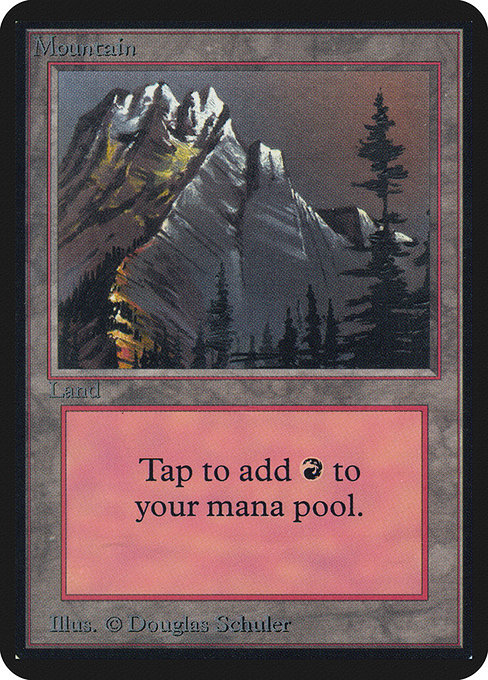 and Mountain
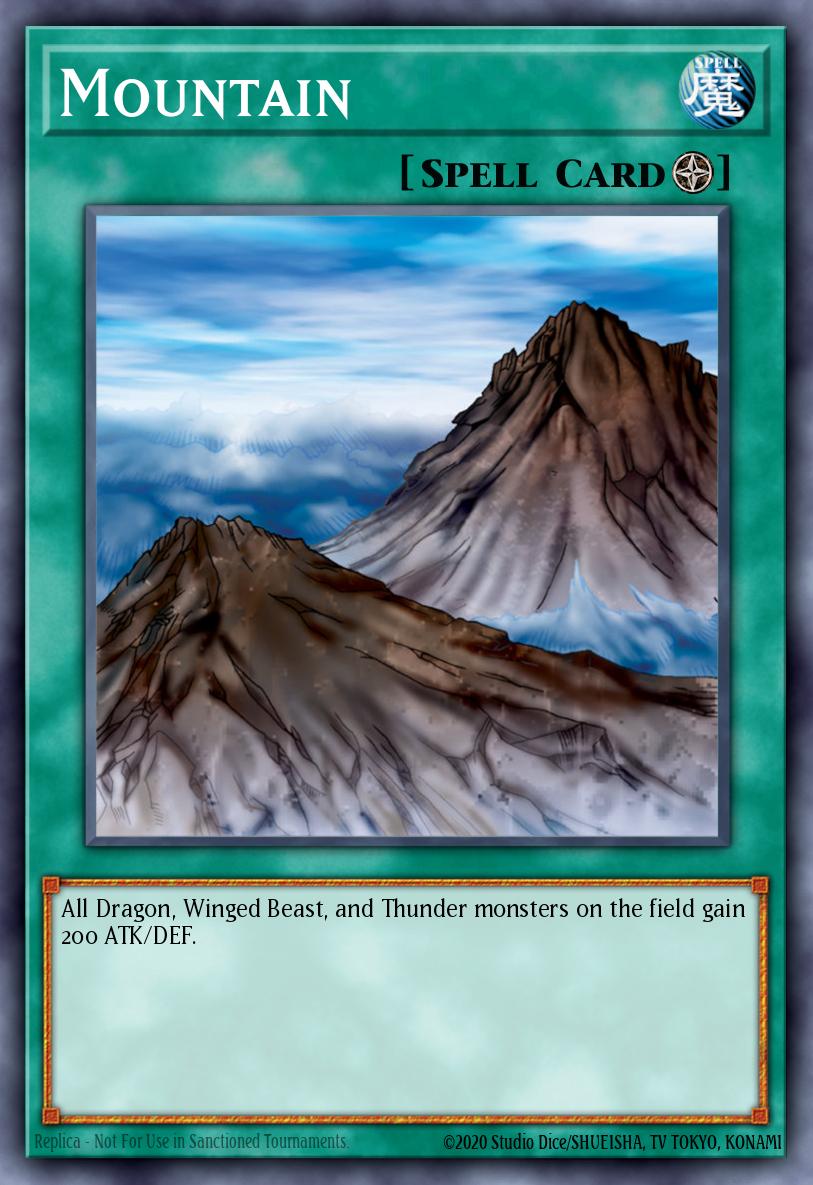 are also different cards!
Shorthand:
[Mewtwo]{.card} and [Mewtwo]{.card set="basep"} are different cards!

[Mountain]{.card source="mtg"} and [Mountain]{.card source="yugioh"} are also different cards!
Other Widgets
Click-through-able Figures
We can decorate figures to have the image also be an anchor. That is: you can click on it and open the image directly & at full resolution. Such images have a magnifying glass icon in the bottom right.

Shorthand:
{alt="A cute, slightly deep-fried illustration of a sleepy Dratini" .clickable}Code Block Line-Number Support
We support specifying the starting line-number. At time of writing, nothing uses this.
int main(void) {
    printf("Hello from line 42!\n");
    return 0;
}
Shorthand:
```{.c startFrom="42"}
int main(void) {
printf("Hello from line 42!\n");
return 0;
}
``` Info
Info
The trick to displaying the above block is to wrap it in a four-backtick block.
Architecture
The features section is about outputs. This section is about process.
As said at the start:
The site “is” three things:
assets: posts, images, style info, & templates describing how these things fit together
a computer program that turns the above stuff into the files that go on the server
the aforementioned files
That’s a description of a static site generator.
The program that builds this site is written in Haskell, using Hakyll, a library for writing your own static site generator. We call running this program “building” the site.
Hakyll turns Markdown into HTML pages (via Pandoc), applies templates to them, and routes the results into a directory. That, on its own, is a blog. Posts go in a folder and come out as HTML pages with dates and titles.
Everything else is ours:
- card previews on hover
- furigana
- ::: fenced div widgets
- font sub-setting
- image dimension handling
- stylesheets
- the build pipeline tying it all together
Transforms
What’s Pandoc doing?
Widgets are all produced by the same mechanism. Pandoc converts markdown to HTML. But it doesn’t do this in one step.
Pandoc reads the markdown and produces an abstract syntax tree representation of it.
Excerpt:
, Para
    [ Str "I"
    , Space
    , Str "built"
    , Space
    , Strong [ Str "this" , Space , Str "website" ]
    , Space
    , Str "from"
    , Space
    , Str "scratch."
    , Space
    , Str "I"
    , Space
    , Str "thought:"
    ]
, BlockQuote
    [ Para
        [ Str "I"
        , Space
        , Str "will"
This is a structured representation of the stuff from the markdown. Each thing from the document is annotated with what it is, what kind of thing it is, and where it is. Later, this tree is converted into HTML. We operate ( ) on this intermediate representation before that happens.
The triple-colon thing is a “fenced div”. This is a standard Pandoc syntax thing for indicating “this is a <div>”. Optionally, you can specify more. Stuff on the same row as the opening ::: is treated as its class. Anything between the two ::: lines is treated as that <div>’s contents.
Info
[]{} does the same thing for <span>. [Charizard]{.card} means “this is a <span> that has the class ‘card’ and the text ‘Charizard’”.
The initial AST representation of
::: cards
:::
is
, Div ( "" , [ "cards" ] , [] ) []& if we did no further processing before converting the AST into HTML, we’d get this:
<div class='cards'></div>which is a far cry from what we need it to be, which is:
<div class="card-notice">
  <p>
    ☞ This post contains ✨on-hover card images✨, indicated by the
    hanafuda symbol <span class="hanafuda">🎴</span>, like so:
    <span class="card-preview">
      <span class="hanafuda" aria-hidden="true">🎴</span>
      <span class="card-name">Thalia, Guardian of Thraben</span>
      <img
        src="../../images/cards/mtg/thalia-guardian-of-thraben.jpg"
        class="card-image"
        loading="eager"
        decoding="async"
        width="488"
        height="680"
        alt="Thalia, Guardian of Thraben {1}{W} - Legendary Creature — Human Soldier - First strike Noncreature spells cost {1} more to cast. - 2/1"
      >
    </span> ☜
  </p>
  <div class="card-notice-details">
    <p>Alt text contains card data for screen readers.</p>
  </div>
</div>
We get it where it needs to be through AST transformations. These are short Haskell programs that walk the tree, find nodes matching a pattern, and replace them with richer structures. We have nine of them.
Why the transforms are small
Pandoc provides a function called walk. It takes a function that knows how to handle one kind of node, and it applies that function recursively to every node in the entire tree.
Here’s anchorTransform, which makes every heading on the page into a clickable anchor link:
headerToAnchor (Header level attr@(idAttr, _, _) inlines)
  | not (T.null idAttr) =
      let link = Link ("", [], []) inlines ("#" <> idAttr, "")
      in Header level attr [link]
headerToAnchor x = x
& here is what this means in english:
If it’s a Header with an id, wrap the contents in a Link pointing to that id. Otherwise, leave it alone.”
It’d be ugly to bake into the code configuration like…
the kinds of admonition are note & tip. Their background colors are #304f60 & #2d4a3e…
So that stuff is sequestered off in toml files, loaded at startup, & glued to the relevant function.
How transforms talk to each other
Transforms can communicate with each other in one way only: leaving something in the tree for another one to find.
The card preview explainer & its transformer is a good example of this behavior. It revises the AST to replace instances of
, Div ( "" , [ "cards" ] , [] ) []with
, Div
    ( "" , [ "card-notice" ] , [] )
    [ Para
        [ Str "\9758"
        , Space
        , Str "This"
        -- «lots of str-space-str omitted for brevity»
        , Span
            ( "" , [ "card" ] , [] )
            [ Str "Thalia,"
            , Space
            , Str "Guardian"
            , Space
            , Str "of"
            , Space
            , Str "Thraben"
            ]
        , Space
        , Str "\9756"
        ]
    , Div
        ( "" , [ "card-notice-details" ] , [] )
        -- «lots of str-space-str omitted for brevity»
    ]
which is: incomplete. The Thalia, Guardian of Thraben part isn’t done. The transformer plants a <span class='card'> in the tree since taking the card any further isn’t its job.
Later, the card transformer does its walk, looking for .card spans. It will find the Thalia span and handle it unaware of and unconcerned with how it got there. Thus: the order of the transforms can matter.
Info
After the card transformer is done the span will look like this:
Finished AST for the Thalia card span
, Span
    ( "" , [ "card-preview" ] , [] )
    [ Span
        ( "" , [ "hanafuda" ] , [ ( "aria-hidden" , "true" ) ] )
        [ Str "\127924" ]
    , Span
        ( "" , [ "card-name" ] , [] )
        [ Str "Thalia, Guardian of Thraben" ]
    , Image
        ( ""
        , [ "card-image" ]
        , [ ( "loading" , "eager" ) , ( "decoding" , "async" ) ]
        )
        [ Str
            "Thalia, Guardian of Thraben {1}{W} - Legendary Creature \8212 Human Soldier - First strike Noncreature spells cost {1} more to cast. - 2/1"
        ]
        ( "/images/cards/mtg/thalia-guardian-of-thraben.jpg"
        , ""
        )
    ]
Composition and ordering
Each transform takes & returns a document tree. So you can chain them together:
allTransforms =
  japaneseTransform
  . figureLinkTransform
  . anchorTransform
  . imageDimensionsTransform
  . cardTransform
  . cardNoticeTransform
  . admonitionTransform
  . chatTransform
  . forumPostTransform
Some of these are independent. But, there are two dependency chains, and they converge:
cardNoticeTransform        forumPostTransform
  │ plants .card span        chatTransform
  ▼                          admonitionTransform
cardTransform                │ all create Image nodes
  │ creates card Images      │ (avatars, icons)
  ▼                          ▼
imageDimensionsTransform ◄───┘
  injects width + height
  into every Image
The odd one out
The ruby/furigana syntax {漢|かん} isn’t a Pandoc feature. japaneseTransform walks every text node in the entire document, scans for CJK characters and {kanji|reading} patterns, and rewrites what it finds. CJK runs get wrapped in lang="ja" spans so screen readers switch to Japanese pronunciation instead of trying to read them as English. Ruby patterns get converted into proper <ruby> annotations.
To do this, it is run last. This ensures it has access to all the text on the page, and, means it won’t confuse any of the earlier steps, which expect to find plain text nodes & not span and ruby fragments.
Card Data
There’s a local card data “library”: a folder for each franchise containing card images & JSON files of card data (including which image to use). To add a card: add a JSON entry and an image.
At build time a few things happen. The content is traversed to find all the card-name tags. The library is searched for the cards named in the tags. The matching images get deployed and the tags are replaced with the finished construct that has the right visible text, alt text, associated image, etc.
Fonts
Old type for everything
The typographic voice is: historical metal type.
The Latin body text is set in the IM Fell Types at historically appropriate sizes. They’re digitizations of 17th-century punches. Each was originally meant to be used at a different point size, which is how we are using them here. They predate bold text. In its place, we have <strong> render in small caps.
The Japanese text is set in Oradano Mincho GSRR. This one is a digitization of Meiji-era punches.
Code blocks use Sarasa Mono J, a composite of Iosevka (Latin) and Source Han Sans (CJK).
Emoji are rendered by Blobmoji, Google’s blob-style emoji set.
Self-hosting and subsetting
This site self-hosts all of its fonts. It ships: 16, at time of writing. This makes file size a real-ish concern. The Japanese & emoji fonts are particularly heavy and we aren’t using most of what’s in either.
Thus: subsetting. At build time, a script scans every markdown file for characters in each font’s target Unicode ranges and produces a trimmed copy of that font containing only those characters. Thus: we serve a mere ~820 KB of fonts.
Emoji from scratch
Color emoji turn out to be super fiddly. Chrome demands CBDT tables. Firefox demands SVG tables. Trying to subset an emoji font after the fact turned out to be an exercise in frustration. So, rather than subset an existing font we found it easier to have one of the build steps be “build the font from scratch to contain only the emoji we actually use”. (That is: you run make build and making the emoji font is one of the things it’ll do.)